
Kiln Learn
Learn to code. Actually code.
Interactive lessons, real programming exercises, and hands-on projects — all inside your development environment.
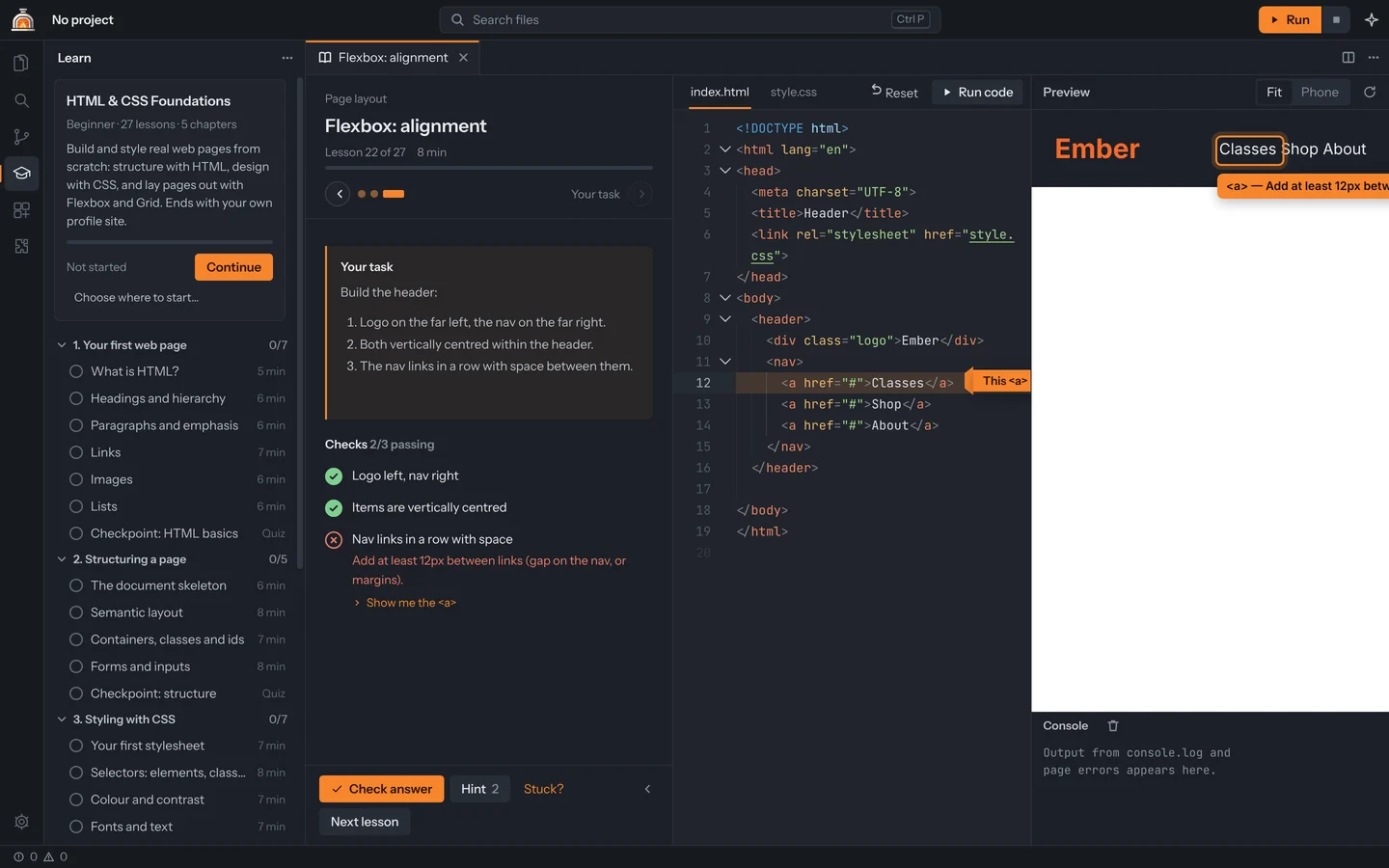
- 1
Lesson & progress
Lesson number, time and a course progress bar. Lessons are split into short steps.
- 2
Your task & checks
Each check says exactly what passed and what still needs work.
- 3
Real code editor
The same editor Kiln uses for projects, with highlighting and error markers.
- 4
Run code
Refreshes the live preview (F5). It also updates as you type.
- 5
Live preview
Your page, rendered for real, with the console underneath.
Feedback that teaches
Checks look at what your code does.
Kiln grades exercises by inspecting the page your code produces: which elements exist, their computed styles, where they sit on screen, whether images load, and whether text is readable. Some layouts are checked at phone and desktop widths.
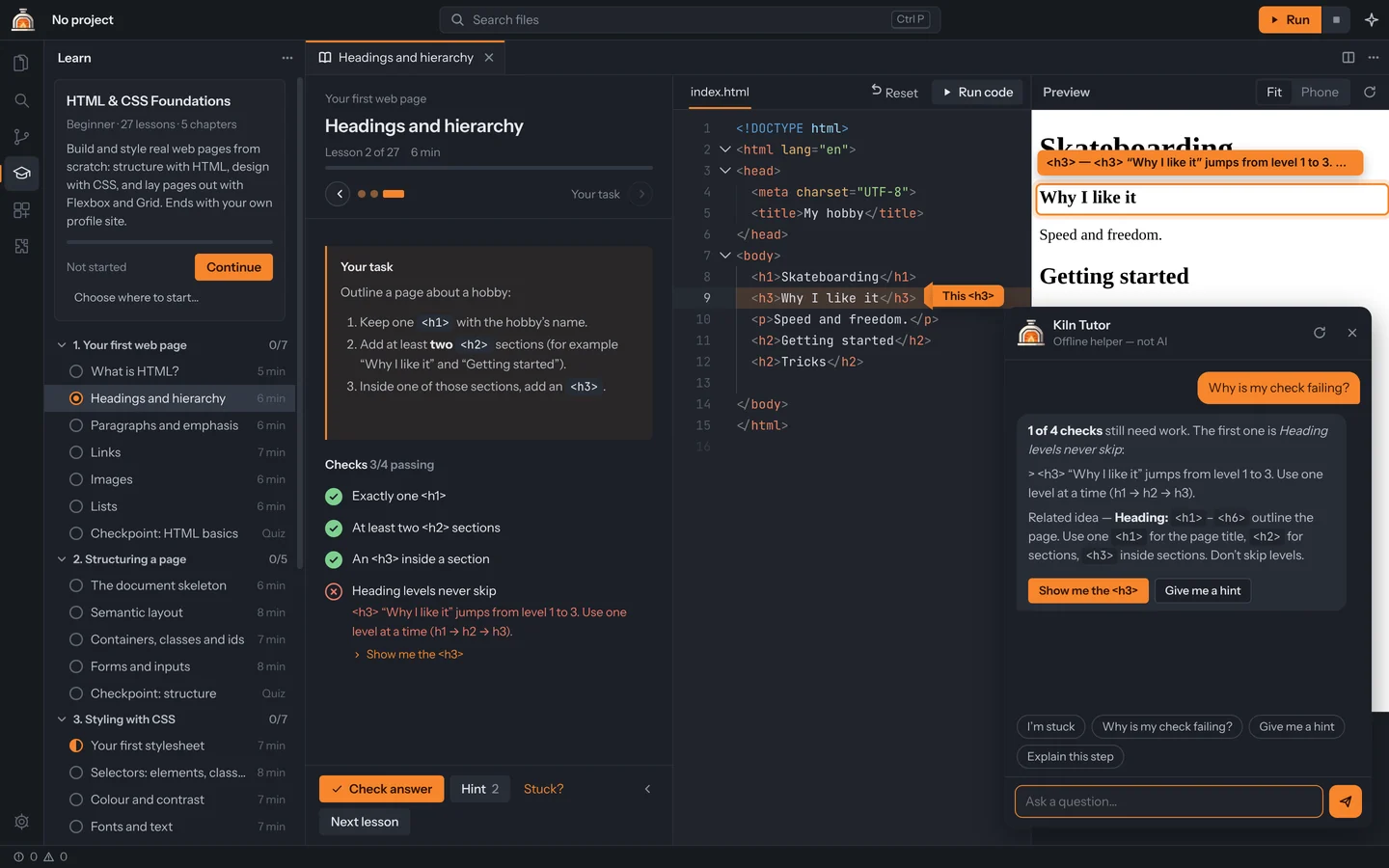
When something fails, Kiln says why in plain words, draws an arrow at the line in your code, and outlines the element in the preview.
For Python, JavaScript, Java and C++, Kiln runs your program with test input and compares what it prints — and if it won’t compile, it points at the line.
After every check, Sakura, your coach, reviews what you did: what went well, what to fix, and a hint if you’re stuck — never the answer. She can read lessons aloud too.
Five courses, from your first web page to C++.
- Available
HTML & CSS
Beginner · 27 lessons
- Available
Python
Beginner · 15 lessons
- Available
JavaScript
Beginner · 15 lessons
- Available
C++
Beginner → Intermediate · 35 lessons
- Available
Java
Beginner · 15 lessons
107 lessons, 234 checks, and Sakura coaching every one. Code courses run your real program and read what it prints.
HTML & CSS Foundations27 lessons · ~4 h
Beginner
- 01Your first web page7
- 02Structuring a page5
- 03Styling with CSS7
- 04Page layout7
- 05Final project1
Python for Beginners15 lessons · ~2 h
Beginner
- 01The basics5
- 02Decisions and loops4
- 03Lists, functions and dictionaries6
JavaScript for Beginners15 lessons · ~2 h
Beginner
- 01The basics5
- 02Decisions, loops and functions4
- 03Arrays, strings and objects6
C++ from Zero35 lessons · ~6 h
Beginner → Intermediate
- 01Getting started6
- 02Making decisions4
- 03Loops5
- 04Functions5
- 05Lists, text and maps5
- 06Objects and classes5
- 07Going further5
Java for Beginners15 lessons · ~3 h
Beginner
- 01The basics5
- 02Decisions, loops and methods4
- 03Arrays, lists and objects6
Guided projects
Then build real things — yourself.
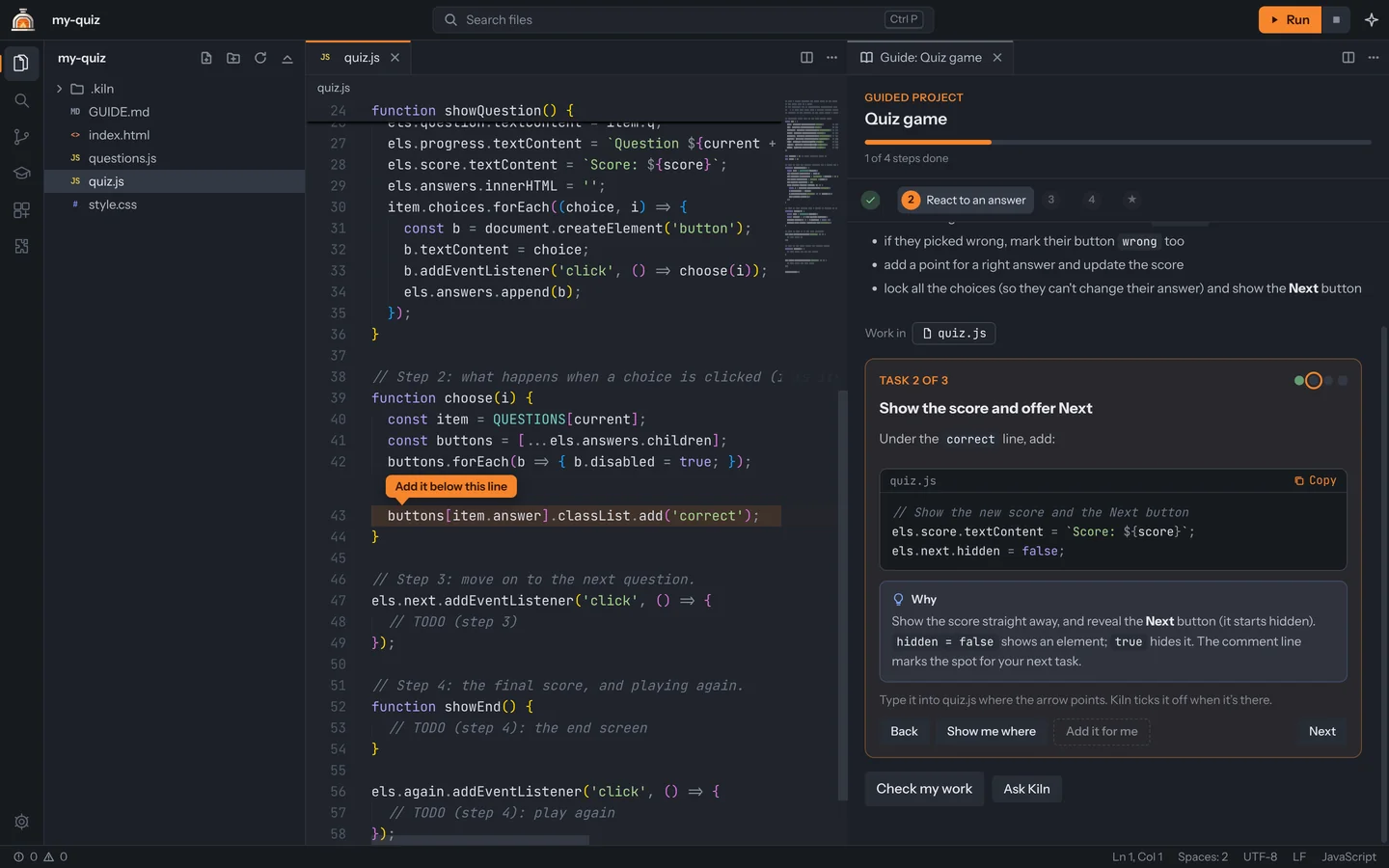
15 templates can be built as guided projects: a to-do app, a quiz, Snake, a weather app, a Python game, an API, a Discord bot and more. The hard parts are already done. A guide beside your code does the rest:
- One small task at a time. Each task says what to add, points at where it goes, and explains why.
- Arrows in your code. They point at the exact line, and Kiln ticks each task off when it’s typed.
- Your turn. Some tasks you write yourself, with hints if you need them.
- Checks that use your work. Kiln clicks your buttons, runs your program, or calls your functions.